How to Build a Website with Webflow: Strategic Guide
.avif)
When you're building a digital business, the website you choose determines how fast you can scale, how easily you can adapt to market changes, and whether your team can focus on growth instead of managing technical debt. Most companies approach website selection as a technical choice, but the real leverage sits elsewhere. How to build a website with webflow isn't just a technical question. It's a strategic one.
If you're a marketplace founder, SaaS operator, or SMB looking to own your online presence without being locked into rigid legacy platforms, Webflow has become the platform of choice. Journeyhorizon works with dozens of businesses that have moved to Webflow specifically because it enables both marketing teams and developers to work independently, reducing bottlenecks and accelerating growth.
Why Webflow matters more than you think
Webflow solves a problem that most other platforms ignore: the gap between what marketers need and what developers can deliver. WordPress gives you plugins and flexibility but often requires developer intervention for every change. Rigid page builders limit your design possibilities. Custom-built sites lock you into expensive developer maintenance.
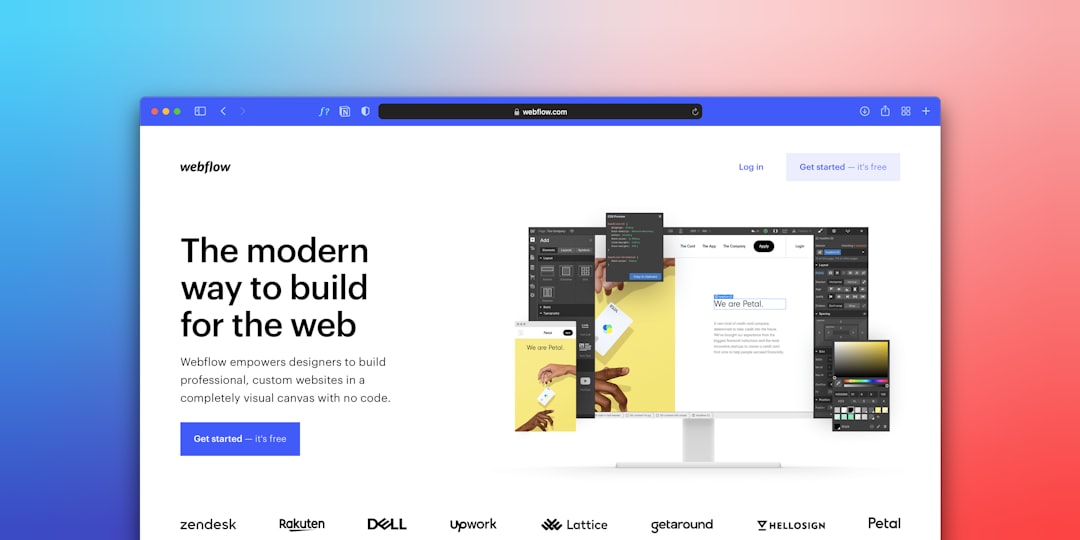
Webflow sits in the middle. It gives your marketing team the ability to update content, create new landing pages, and manage structured data without touching code. At the same time, it gives developers and agencies like Journeyhorizon enough control to build sophisticated integrations, connect APIs, and implement proper SEO architecture from the ground up.
For businesses that care about sustainable growth, this matters. You're not choosing between marketing speed and technical quality. You're getting both.
Choosing your starting point: template vs. blank canvas
When you begin building a website with Webflow, the first decision matters. Do you start with a template or a blank canvas?
Most businesses default to templates because they're faster. This is sensible. A quality template gets you 80 percent of the way to a finished site. You can be live in days instead of weeks. Your team updates content, tweaks colors, and you're done.
The catch: templates are built for general use. They're not optimized for your specific business model, your content strategy, or your SEO positioning. If you're a marketplace operator, an ecommerce business, or a B2B SaaS company, a generic template might undermine your growth goals before you even launch.
The blank canvas approach takes longer upfront but gives you something templates can't: a site structure built around your actual business. Your navigation reflects your customer journey. Your content hierarchy supports your most valuable keywords. Your forms and CTAs are positioned to drive the conversions that matter to you.
For most businesses, the answer is a hybrid: start with a framework or design inspiration, but customize the structure to match your business reality.
Building for growth, not just aesthetics
This is where most website builds fail. Companies treat site building as a design project. They focus on aesthetics, animations, and visual polish. Six months later, the site looks beautiful but doesn't generate leads, ranks poorly, and can't evolve as the business changes.
When you build a website with webflow strategically, you're building for three things simultaneously: user experience, SEO, and content scalability.
SEO upfront matters more than retrofitting later. This means your navigation structure follows semantic logic. Your heading hierarchy is correct (one H1, logical H2s, proper nesting). Your URL structure is clean and keyword-relevant. Your content hub or resources section is architected from launch so you can scale content without fighting the site structure.
Your technical SEO foundation needs to be solid. This includes proper sitemap generation, robots.txt, canonical tags, schema markup, and mobile-first indexing. Webflow handles most of this automatically, but you need to understand it, not just trust it.
Your content strategy needs to be planned before launch. What topics will you own? What keywords will drive your business? How will your resource hub, blog, or case studies connect to your conversion pages? If you answer these after the site is live, you're rebuilding.

Making your website scalable from launch
A website that can't grow with your business becomes a liability. This means thinking about responsive design, content management systems, and future integrations before you publish.
Responsive design on Webflow is straightforward once you understand the principle: design for desktop first, then adjust for tablet and mobile as breakpoints. This isn't optional. More than half your traffic will be mobile. A site that breaks on mobile doesn't just lose users. It loses Google rankings.
Webflow's CMS is where scalability really happens. Instead of hardcoding content into page templates, the CMS lets you build content templates once and populate them infinitely. You can have a blog, a portfolio, case studies, or resource libraries that your team updates independently.
This matters for marketplace founders especially. Your marketing site can automatically pull and display marketplace listings, category pages, or user testimonials using dynamic content. Your content team doesn't wait for developers. They update the platform, and the website reflects those changes instantly.
Think about future integrations early. Will you need to connect your email marketing platform? Your analytics? A booking system? Webflow's Zapier integration and native APIs mean you can build these connections now instead of redesigning later.
How to migrate to Webflow without losing SEO
If you're already live on another platform and you have organic traffic, migration to webflow feels risky. The biggest fear: you'll lose rankings and revenue during the transition.
This risk is real but manageable with the right process. First, you need a complete redirect map. Every old URL maps to a new URL (or to the closest thematic equivalent if the structure changes). This is work, but it's non-negotiable.
Second, you need to validate before going live. Test the site in a staging environment. Check that your redirects work. Validate your canonical tags. Test Core Web Vitals. Have Google Search Console set up before you switch DNS.
Third, you need to manage the transition carefully. Push the DNS change. Monitor Search Console for crawl errors. You'll see a temporary dip in impressions, but with proper redirects, rankings recover within weeks.
Many businesses successfully migrate to webflow from WordPress, Squarespace, or older custom platforms without losing rankings. The companies that fail are the ones that skip the redirect mapping or launch without proper validation.
The cost efficiency argument
WordPress costs less per month, but this thinking misses the total cost of ownership. If you're running WordPress, you're paying for hosting, maintenance, security updates, plugin compatibility, performance optimization, and occasional emergency developer time.
Webflow includes hosting, SSL, CDN, and performance optimization in the platform cost. Your team spends less time fighting technical issues and more time on actual growth work. For most businesses, this compounds to significant savings over time.
Compared to hiring an agency to build and maintain a custom site, Webflow is vastly more cost-effective. You pay once for professional development (either internal capability or partner support like custom app development for integrations), then your team runs the site independently.
For marketplace founders, this efficiency is critical. You're already investing in your marketplace platform. You need a marketing site that scales without proportional increases in your costs.
Getting started: the practical first steps
If you decide Webflow is right for your business, here's how to begin building a website with webflow responsibly.
Start with a content audit. What pages do you actually need? What will your customer journey look like? Map this before designing. Your site structure should reflect how customers think about your business, not how your team is organized.
Define your SEO strategy. What keywords matter? Which topics will you own content around? How will your site hierarchy support this? This doesn't require months of research, but it requires clarity.
Choose whether to start with a template or blank canvas based on the analysis above. For most businesses with specific growth goals, a template with strategic customization is the right balance.
Use Webflow's CMS from day one, even if you only have three pages of content initially. This habit scales your site exponentially. Adding content later becomes a matter of creating new entries, not rebuilding templates.
If you're a marketplace founder or operating a complex digital business, work with partners who understand your specific model. Journeyhorizon works across marketplace platforms, content strategy, and technical implementation, meaning your site doesn't exist in isolation. It's built to drive measurable business outcomes from launch.
Frequently Asked Questions
Can you build a complete website with Webflow without coding?
Yes. The drag-and-drop designer and CMS are fully functional without writing code. However, if you want custom integrations (connecting your marketplace data, custom workflows, or specific automations), you'll need either a developer on your team or a partner who can implement custom code. Webflow supports JavaScript and API connections, so advanced functionality is possible without being locked into the platform's limitations.
How long does it actually take to build a website with Webflow?
A basic five-page site can go live in one to two weeks. A more sophisticated site with custom design, integrations, and SEO optimization takes four to eight weeks. If you're migrating an existing site and need proper redirect mapping and validation, add two to three weeks. Speed isn't the main metric. A site built carefully for growth is better than one built fast and undermining your SEO.
Is Webflow suitable for marketplaces that need custom features?
Your marketplace platform handles transactions and product logic. Webflow handles your marketing presence, content, and SEO. The two work together. If you need custom features on the marketplace itself, you're working with your marketplace platform (Sharetribe, custom build, etc.). Webflow connects to these platforms via API, letting you display marketplace data on your marketing site without being limited by it.
What's the biggest mistake companies make when building a website with Webflow?
Treating it as a design project instead of a growth project. Companies focus on animations and aesthetics, skip the SEO planning, don't implement a content strategy, and end up with a beautiful site that doesn't drive business results. Start with strategy. Design follows.