Webflow Responsive Design: Build Sites That Convert
Imagine a customer visiting your website on their phone and seeing everything crammed into a tiny viewport, unreadable text, and buttons too small to tap. They leave. Your competitor's site works perfectly on every device, and the customer converts instead. This is the reality of the modern web: Webflow responsive design is no longer optional—it's a fundamental business requirement.
Websites that don't adapt to different screen sizes aren't just frustrating to use; they cost you customers, damage your SEO rankings, and signal to visitors that your business isn't taking their experience seriously. In today's competitive landscape, where over 60% of web traffic comes from mobile devices, responsive design directly impacts revenue, brand perception, and growth.
Journeyhorizon works with marketplace founders and digital businesses that understand this reality. These companies don't just build websites; they build growth engines. And responsive design is a critical component of that engine.
Why Responsive Design Matters (Beyond Just Mobile)
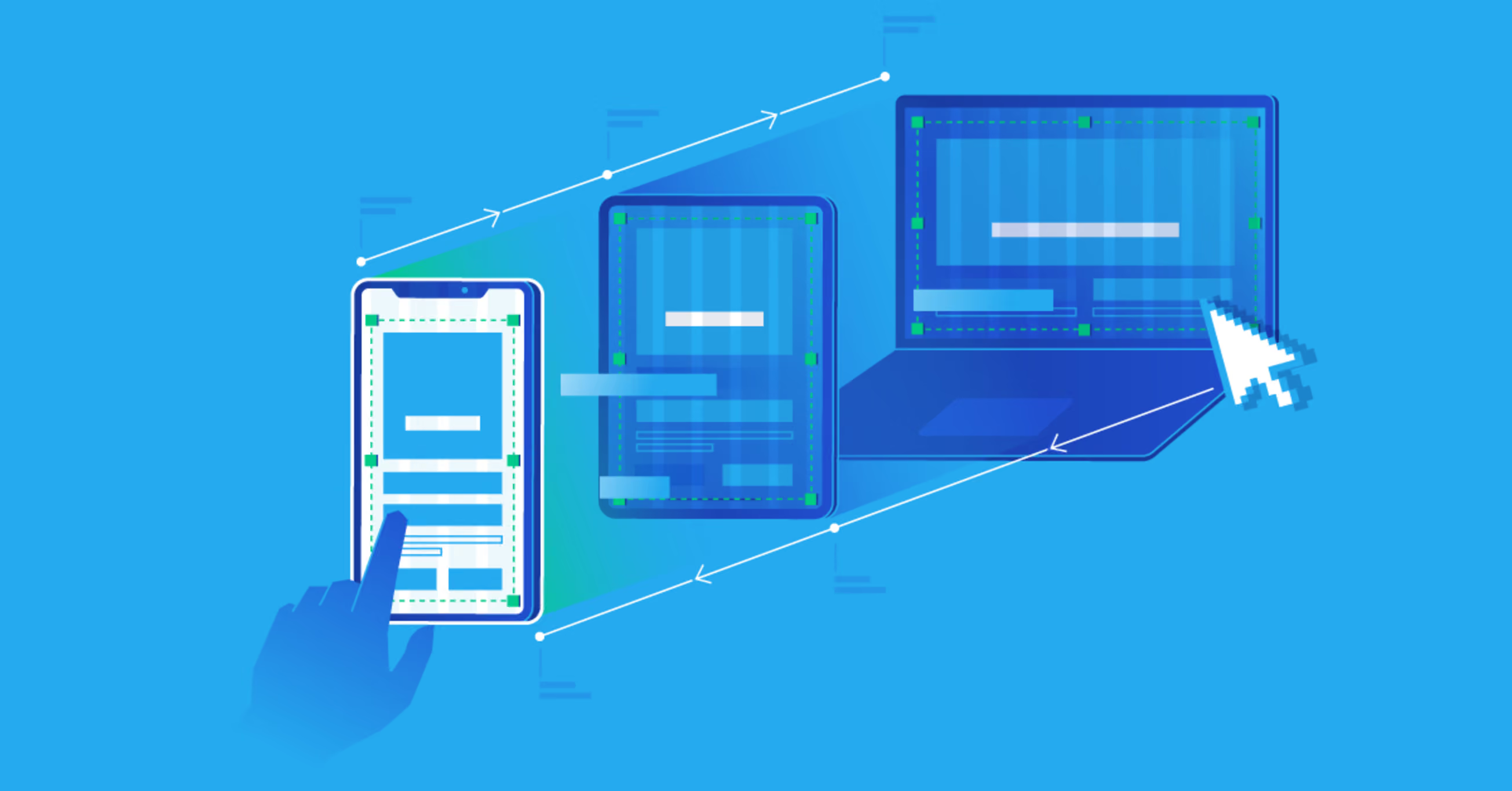
The conversation around responsive design often focuses on mobile phones. But modern businesses need to think bigger. Your audience doesn't just include mobile users. It includes people on tablets, laptops, high-resolution desktop monitors, and even large screens connected to conference room projectors.
More importantly, responsive design is about intent. When someone visits your website on a mobile device, they're often in a hurry, in a different context, and have different needs than a desktop visitor. A responsive site acknowledges this. It prioritises the information they need right now. It loads fast on slower mobile networks. It presents calls-to-action clearly without overwhelming them with unnecessary features.
For marketplace founders, this matters exponentially. Your buyers might be browsing on mobile during lunch. Your sellers might be managing inventory from a tablet while working from a café. A poorly responsive experience at any touchpoint in the user journey costs you transactions.
The business case is straightforward: responsive design reduces bounce rates, increases time on site, improves conversion rates, and lowers acquisition costs because organic search rankings reward it. It's not about being nice to your users; it's about commercial effectiveness.
Webflow's Approach to Responsive Design
Most website builders claim to support responsive design, but they do it in ways that are either too rigid or too complicated. Webflow takes a different approach: it gives you design control at every breakpoint without requiring code.
The platform uses a breakpoint system that lets you design once and then override styles at tablet, mobile landscape, and mobile portrait sizes. This cascading approach means your changes on larger screens automatically flow down to smaller ones, but you can break that cascade whenever you need to customise. It's a fundamentally different mental model from traditional responsive design.
In practice, this means your design team can build a beautiful desktop experience and then systematically adapt it for smaller screens. You're not building separate sites. You're not writing media queries. You're visually designing each breakpoint and seeing your changes in real-time.
For B2B and SaaS companies, this is powerful. You can maintain design consistency across all devices while still respecting the constraints of each screen size. For marketplace platforms using Webflow as a marketing site (while running operations on Sharetribe or another backend), you get professional responsiveness without needing a large development team.

Building Responsive Sites Without Code
The technical implementation of webflow responsive design doesn't require you to understand CSS media queries or write custom breakpoints. The platform abstracts away the complexity while giving you full control.
Here's how it works in practice: You design your desktop version first. You choose your layout system—flexbox for simpler layouts, CSS Grid for more complex ones. Both adjust automatically as screen sizes change, but you control how they behave.
Then you switch to tablet view. Any element that needs adjustment, you adjust. Padding that's too wide? Reduce it. Font size that's illegible? Make it smaller. Images that break the layout? Constrain them. The visual editor shows you exactly how it will look.
You do the same for mobile landscape and mobile portrait. By the time you're finished, you've built a design that works fluidly across all devices. Your marketing team can manage this independently going forward without waiting for a developer to make tweaks.
The advantage over traditional website builders is that you're not limited to pre-built templates or rigid responsive "grids." You're designing responsively from the ground up, which means your site can reflect your brand's actual personality at every breakpoint.
Responsive Design for Marketplaces and B2B Growth
For marketplace founders, responsive design becomes part of your growth strategy. Your marketing website is where you attract sellers, explain value propositions, and build trust. If that experience is broken on mobile, you're losing onboarding before it starts.
Webflow is increasingly popular with marketplace teams because it sits in the middle: it's powerful enough to handle sophisticated marketing websites with content hubs, SEO infrastructure, and custom integrations. But it's not so complex that you need a full-time engineering team to maintain it.
Many of our clients use custom app development services to build backend systems and integrations for their marketplace while using Webflow for their marketing presence. This combination lets them separate concerns: the marketplace backend is built for transactions and scalability. Webflow is built for growth, content, and brand presentation.
Within that Webflow site, responsive design means your content hubs work on mobile. Your landing pages convert on any device. Your pricing page is readable on a tablet. Your blog posts don't look terrible on phones. This isn't about vanity; it's about keeping visitors moving down the funnel.
Common Pitfalls and How to Avoid Them
Even with Webflow's visual approach, responsive design mistakes are common. The most frequent: designing only for desktop and hoping the smaller screens "just work."
They won't. A layout that looks balanced at 1920 pixels wide may become unusable at 375 pixels wide if you don't actively adapt it. Text that reads easily at large sizes may need to be smaller on mobile. Images that give impact on desktop may waste space on mobile.
The second mistake is ignoring touch interactions. Desktop users click. Mobile users tap. These are different input methods with different expectations. A button that's easy to click with a mouse might be impossible to tap accurately with a thumb. Spacing, sizing, and proximity matter differently on mobile.
A third trap: being too clever with animations and interactions. A slick hover effect on desktop has no equivalent on touch. A popup that slides in from the side might confuse mobile users. Test your interactive elements across devices, not just in the Webflow preview.
Finally, many teams forget about performance. Responsive doesn't mean you serve the same assets to all devices. An image that's 1920 pixels wide on desktop should be smaller on mobile. Webflow handles responsive images automatically, but you need to upload high-quality originals for it to work properly.
SEO and Performance Implications
Google's algorithm prioritises mobile-first indexing. This means Google crawls and indexes the mobile version of your site first. If your mobile experience is poor, your organic visibility suffers. Webflow responsive design isn't just about user experience; it's about search rankings.
More specifically, responsive sites perform better on Core Web Vitals—metrics Google uses to rank search results. A well-optimised responsive Webflow site loads quickly on mobile, doesn't have layout shifts, and responds immediately to user input. These are the things Google measures.
There's also an indirect SEO benefit: responsive sites have simpler URL structures. You don't need separate mobile and desktop URLs (like example.com and m.example.com). One URL adapts to all devices. This makes crawling easier, reduces duplicate content issues, and keeps your link equity consolidated.
For marketplace founders and B2B companies trying to rank for competitive keywords, this matters. Teams building on Sharetribe marketplace platforms often pair technical strength with strong marketing websites. Webflow responsive design supports that combination, ensuring your marketing presence is as optimised as your product.
When to Get Professional Help
Webflow's visual interface democratises web design. A non-technical marketer can build and maintain a responsive website independently. But there are scenarios where professional expertise adds significant value.
If your site includes complex interactions, custom animations, or integration with APIs and backend systems, you need someone who understands Webflow's interaction design system and custom code capabilities. If you're migrating an existing site and need to maintain SEO during the transition, a technical SEO specialist who understands redirects, canonicals, and Google Search Console can prevent ranking loss.
If you're building a marketplace marketing site that needs to integrate with your core platform (orders, user accounts, inventory), that's where specialist knowledge becomes critical. This is exactly the kind of work that Webflow development and Webflow expert teams handle regularly.
Many businesses find a hybrid approach works best: an internal team maintains marketing content, but specialists handle the architecture, migrations, integrations, and complex design systems. This lets you move quickly on marketing updates while ensuring the foundations are solid.
Frequently Asked Questions
Is responsive design the same as mobile-first design?
Not quite. Responsive design means adapting to all screen sizes. Mobile-first means you design for mobile first, then adapt upwards to larger screens. Both are good practices, and Webflow supports both approaches. Many modern teams start with a mobile design and enhance it for desktop, rather than the traditional approach of starting with desktop and shrinking down.
Do I need to test my Webflow responsive design on real devices?
Yes. Webflow's preview mode is accurate, but real devices behave differently due to browser differences, network speeds, and actual user behaviour. At minimum, test on a real smartphone and tablet before publishing. Many agencies test on multiple devices and browsers to catch edge cases.
Can I build a responsive website in Webflow without knowing design?
Partially. You can follow templates and best practices, but "responsive" requires understanding how content behaves at different sizes. It's a learned skill. If you're starting from scratch and need results quickly, working with a designer or agency who understands Webflow's responsive capabilities saves time and prevents common mistakes.
How does webflow responsive design compare to building custom HTML/CSS?
Webflow generates clean, semantic HTML and CSS under the hood. For most projects, the performance is equivalent to hand-coded responsive sites. The advantage is speed—you can build and adjust in hours instead of days. The trade-off is that Webflow-hosted sites are locked into the Webflow ecosystem, which isn't a problem if that ecosystem meets your needs.