10 best Webflow integrations to scale your website in 2026
.avif)
Webflow integrations connect Webflow with external tools to turn it into a connected digital platform that supports marketing, lead generation, sales workflows, and online transactions.
Therefore, companies can build a more scalable system for managing growth, data, and customer experiences. This is why Webflow integrations have become an important part of modern website architecture.
In this article, we explore the most useful Webflow integrations and practical integration approaches used by digital businesses today, including strategies implemented by Journeyhorizon to support scalable platforms and marketplace growth.
What are Webflow integrations?
Webflow integrations are connections that allow Webflow to work with external tools and platforms such as CRM systems, ecommerce platforms, automation software, analytics tools, and marketplace infrastructure. These integrations extend Webflow beyond website design and enable it to support marketing, data management, ecommerce, and business operations.
On its own, Webflow allows teams to design pages, manage CMS content, and publish websites. When integrations are added, Webflow can connect with systems that handle lead generation, customer data, payments, automation workflows, and ecommerce transactions. =>>> Hire Webflow Expert
What benefits of Webflow integrations
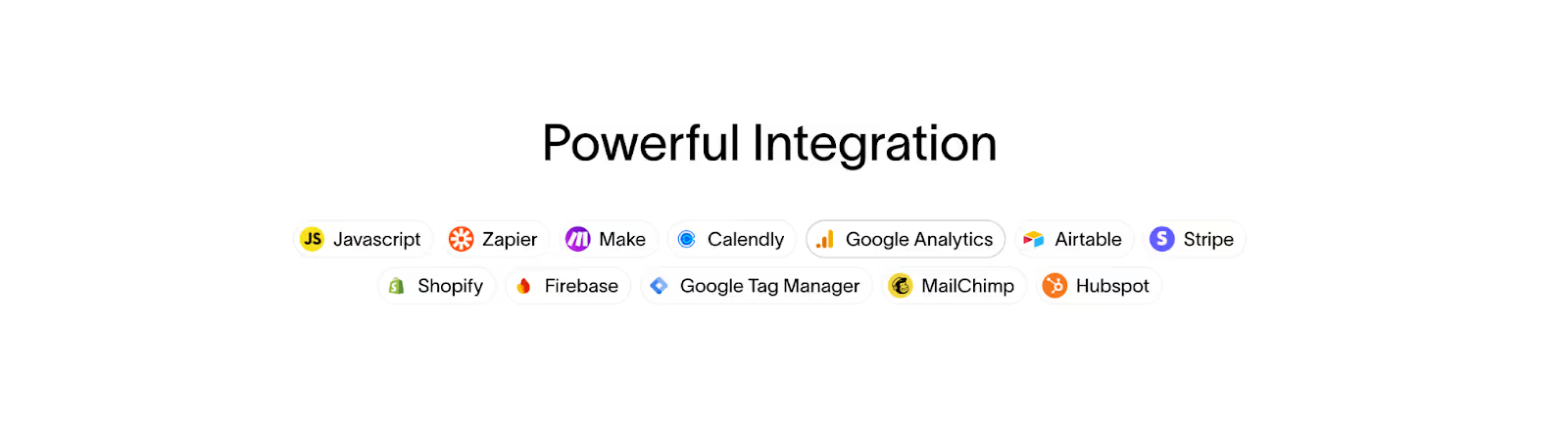
Common Webflow integrations examples include connecting Webflow to:
- Webflow CRM platforms for lead and customer management
- Webflow form integrations for capturing and processing inquiries
- Webflow Ecommerce integrations such as Shopify or WooCommerce
- Analytics tools for tracking website performance
- Automation tools for managing workflows between apps
- Marketplace platforms that power multi-vendor transactions
Many of these integrations are enabled through the Webflow API, which allows data to move between Webflow and other systems automatically. This makes it possible to sync form submissions, update CMS content, automate marketing processes, and connect Webflow with external platforms.
In practical terms, Webflow integrations turn a website into a connected business platform that supports growth, automation, and scalable digital operations.
Explore Top 10 Webflow Agency Spotlight 2026.
10 best Webflow integrations in 2026
The most effective Webflow integrations depend on how a company uses its website. Marketing teams, ecommerce businesses, SaaS platforms, and marketplaces often rely on integrations to connect Webflow with CRM systems, analytics tools, payment infrastructure, and automation platforms.
Below are widely used Webflow integrations examples that help extend Webflow into a scalable business system.
1. Zapier
Zapier is an automation platform that connects Webflow with thousands of other business tools. It allows actions inside Webflow, such as form submissions or CMS updates, to automatically trigger processes in external systems without custom development.
This makes Zapier one of the most accessible ways to implement Webflow integrations, especially for marketing and operations teams that want to automate workflows across multiple platforms.
- Best for:
Automating workflows between Webflow and business tools - Core capability:
Workflow automation connecting Webflow forms, CRM platforms, email tools, spreadsheets, and internal systems - Why it matters:
Zapier enables practical Webflow form integrations and reduces manual work by allowing website activity to trigger automated actions in other tools.
2. HubSpot
HubSpot is widely used as a CRM and marketing automation platform for managing leads and customer relationships. When integrated with Webflow, form submissions and contact data can automatically sync into HubSpot where teams manage communication, pipeline stages, and marketing campaigns.
This integration helps companies connect their website with their sales and marketing systems in a structured way.
- Best for:
Companies using Webflow for lead generation and inbound marketing - Core capability:
Webflow CRM integration for managing contacts, lead tracking, and marketing automation - Why it matters:
Connecting Webflow with HubSpot helps businesses convert website traffic into organized leads and measurable sales opportunities.
3. Shopify
Webflow Shopify integration is commonly used by ecommerce brands that want stronger design flexibility on the front end. In this setup, Webflow manages marketing pages, product storytelling, and campaign content while Shopify powers the ecommerce infrastructure behind the scenes.
This architecture allows companies to combine Webflow’s visual design capabilities with Shopify’s mature ecommerce operations.
- Best for:
Brands that want marketing-focused websites with reliable ecommerce infrastructure - Core capability:
Connecting Webflow content and landing pages with Shopify product catalogs, checkout systems, and order management - Why it matters:
Among Webflow Ecommerce integrations, Shopify provides a scalable commerce engine while Webflow manages the customer-facing experience.
4. WooCommerce
Webflow WooCommerce integration is often used by businesses that already operate ecommerce stores within the WordPress ecosystem. Instead of rebuilding the entire platform, companies use Webflow as the marketing front end while WooCommerce continues to manage product and order workflows.
This hybrid setup allows teams to improve design, speed, and user experience without replacing their core ecommerce system.
- Best for:
Businesses running WooCommerce that want a more modern website experience - Core capability:
Webflow as the marketing and design layer while WooCommerce manages products, carts, and transactions - Why it matters:
This approach allows businesses to upgrade their website experience while keeping their existing ecommerce infrastructure.
5. Memberstack
Memberstack adds membership functionality to Webflow websites, allowing companies to create gated content, subscription-based experiences, and user login systems. It enables Webflow sites to support user accounts and private sections without requiring a fully custom application.
This integration is commonly used by SaaS platforms, communities, and digital product businesses.
- Best for:
Membership platforms, SaaS products, and premium content websites - Core capability:
User authentication, subscription payments, gated content, and account management - Why it matters:
Memberstack extends Webflow beyond public websites and enables user-based experiences.
6. Airtable
Airtable is often used as a flexible database for managing structured content and operational data. Many teams connect Airtable with Webflow when they need to organize large datasets that later appear as dynamic content on a website.
More advanced setups may use the Webflow API to synchronize records between Airtable and Webflow CMS.
- Best for:
Teams managing structured content or operational datasets - Core capability:
Database-style data management combined with Webflow API workflows for CMS automation - Why it matters:
Airtable helps teams manage complex datasets while Webflow displays that data as structured website content.
7. Google Analytics
Google Analytics provides essential insights into how visitors interact with a Webflow website. It tracks traffic sources, user behavior, conversions, and engagement metrics that help companies evaluate marketing performance.
While the integration itself is simple, the data it provides is critical for decision-making.
- Best for:
Monitoring website performance and marketing effectiveness - Core capability:
Tracking user behavior, traffic channels, and conversion performance - Why it matters:
Analytics data helps teams understand whether their Webflow website is generating real business results.
8. Typeform
Typeform is often used when companies want more advanced Webflow form integrations than standard website forms provide. Its conversational interface and conditional logic allow businesses to build interactive lead capture flows.
These forms are commonly used for lead qualification, surveys, onboarding questions, and customer research.
- Best for:
Interactive lead generation forms and multi-step inquiries - Core capability:
Conversational forms, conditional logic, and improved user experience for form submissions - Why it matters:
Better form experiences can increase completion rates and improve lead quality.
9. Stripe
Stripe provides payment infrastructure used by many digital businesses. It supports payment processing, subscription billing, and transaction management across online products and services.
In Webflow-based stacks, Stripe often works alongside ecommerce platforms, membership tools, or marketplace engines.
- Best for:
Subscription services, SaaS platforms, and digital transactions - Core capability:
Payment processing, subscription billing, and financial transaction management - Why it matters:
Stripe enables monetization across many types of Webflow-powered platforms.
Read more about Marketplace payment.
10. Sharetribe
Webflow Sharetribe integration is particularly relevant for founders building online marketplaces. In this architecture, Webflow manages the public website, marketing pages, and SEO content while Sharetribe powers the marketplace engine.
Sharetribe handles listings, user accounts, and transactions, allowing Webflow to focus on the customer-facing experience.
- Best for:
Service marketplaces, rental marketplaces, and multi-vendor platforms - Core capability:
Marketplace infrastructure including listings, users, and transaction workflows - Why it matters:
This combination allows Webflow to power growth and marketing while Sharetribe manages marketplace operations.
Explore our guides on Webflow SEO strategies and the top Webflow SEO agency partners for 2026.
Webflow integrations at a glance
The following table summarizes common Webflow integrations and their typical roles within modern website stacks. It provides a quick overview of how different tools connect with Webflow to support CRM, ecommerce, automation, analytics, and marketplace functionality.
Read more about: Webflow Marketing Guide 2026: Strategy, Templates, Apps, and Scalable Growth.
How to choose the right Webflow integrations
Choosing the right Webflow integrations depends on how your website supports your business operations.
- Define the role of your website
Determine whether your site focuses on lead generation, content marketing, ecommerce, or marketplace growth. - Identify the systems that must connect
Most businesses connect Webflow with a Webflow CRM, analytics tools, Webflow form integrations, and ecommerce or payment platforms. - Consider technical flexibility
Simple integrations can be implemented with existing tools, while more advanced workflows may use the Webflow API for automation and data synchronization. - Plan for scalability
Choose integrations that support both current workflows and future growth.
The most effective Webflow integrations are those that align with your business model and help marketing, sales, and operations work together efficiently.
How Journeyhorizon helps businesses build with Webflow
Journeyhorizon is a trusted Webflow services partner of global businesses digital strategy and implementation partner that helps companies build scalable websites and digital platforms using Webflow.
We support founders, product teams, and marketplace operators in designing, launching, and integrating Webflow with the tools required for growth and operations.
Our Webflow-related services include:
- Webflow development
Designing and building custom Webflow websites with responsive layouts, CMS structure, and scalable architecture =>>> Hire Webflow Expert. - Webflow website migration and platform transition
Migrating existing websites from platforms such as WordPress or Squarespace to Webflow while maintaining site structure and SEO fundamentals. - Webflow integrations and technical implementation
Connecting Webflow with external tools such as CRM systems, automation platforms, and marketplace infrastructure as part of a broader digital stack. - Webflow SEO audit & optimization
Improving Webflow site architecture, performance, and content structure to support organic search visibility and long-term growth.
View all Journeyhorizon’s services.
These services allow businesses to use Webflow not only as a website builder but as part of a connected digital platform that supports marketing, content management, and scalable online operations.
Conclusion
Webflow integrations turn Webflow from a design tool into a connected business platform by linking CRM, ecommerce, analytics, and automation systems. This enables businesses to support marketing, transactions, and scalable growth. Journeyhorizon helps companies design and implement Webflow setups to create integrated digital platforms for lead generation and business growth.
If you are exploring Webflow for your next website or digital platform, Journeyhorizon can help you design and implement a scalable Webflow solution tailored to your business goals.
Start your Webflow project with us!
FAQs
1. What are Webflow integrations?
Webflow integrations connect Webflow with external tools such as CRM systems, ecommerce platforms, analytics tools, and automation software to extend website functionality.
2. Does Webflow support third-party integrations?
Yes. Webflow supports integrations through built-in apps, embedded tools, automation platforms, and the Webflow API.
3. Can Webflow integrate with CRM systems?
Yes. Webflow can connect with CRM platforms like HubSpot through form integrations or automation tools to capture and manage leads.
4. Can Webflow be used for ecommerce integrations?
Yes. Businesses often combine Webflow with ecommerce platforms such as Shopify or WooCommerce to manage products, checkout, and order operations.
5. Can Webflow be used for marketplace platforms?
Yes. Webflow is often used as the marketing front end while marketplace platforms like Sharetribe handle listings, users, and transactions.