What Is Webflow? Everything You Need to Know
Whether you’re launching a new business project, managing a digital transformation, or simply exploring the latest tools in web development, you’ve probably come across the name Webflow. But what is Webflow exactly? It’s a professional visual development platform that lets you build fully custom, responsive websites without the complexity of traditional coding.
This guide walks you through what Webflow is, how it works, and why it’s becoming a modern standard for teams that want flexibility, speed, and creative control in web design.
At Journeyhorizon, we specialize in supporting businesses that choose Webflow. From design to launch, we help build sites that balance visual quality with performance, SEO, and user experience.
Now, let’s cut through the noise and dive into everything you need to know.
1. What is Webflow?
Webflow is a professional visual development platform that allows you to design, build, and launch completely custom websites without writing code.
Unlike traditional drag-and-drop builders that rely on rigid templates, Webflow gives you direct access to the full power of HTML, CSS, and JavaScript through a visual interface. As you design on the canvas, Webflow automatically generates clean, semantic, and W3C-compliant code in the background.
In short: It provides the design freedom of Adobe Photoshop combined with the engineering power of a custom-coded website.
2. How Webflow works:
To understand why everyone is talking about Webflow, you don't need to look at code. You just need to understand these four powerful features.
2.1. The visual designer (It’s like Photoshop for the web)
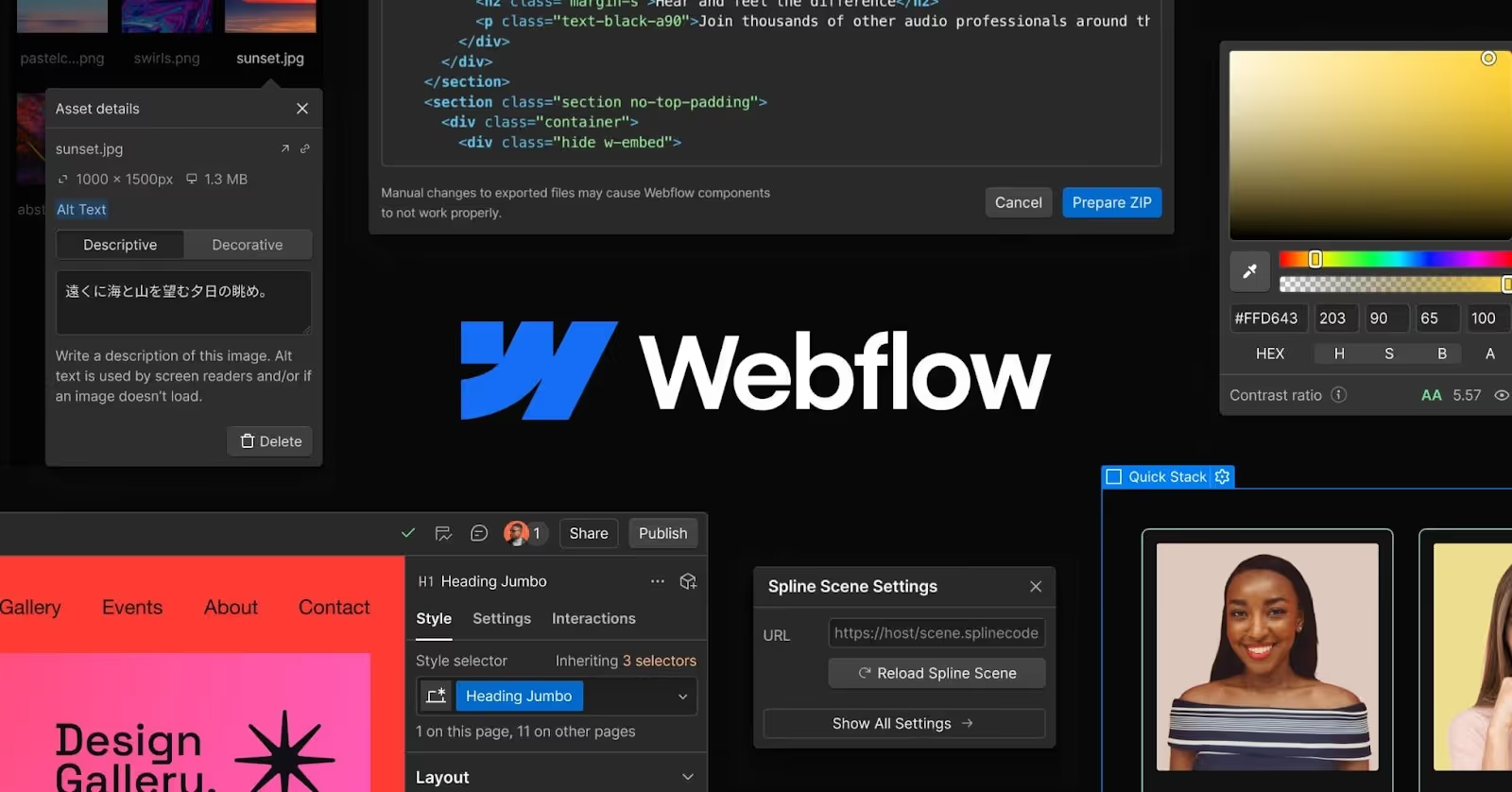
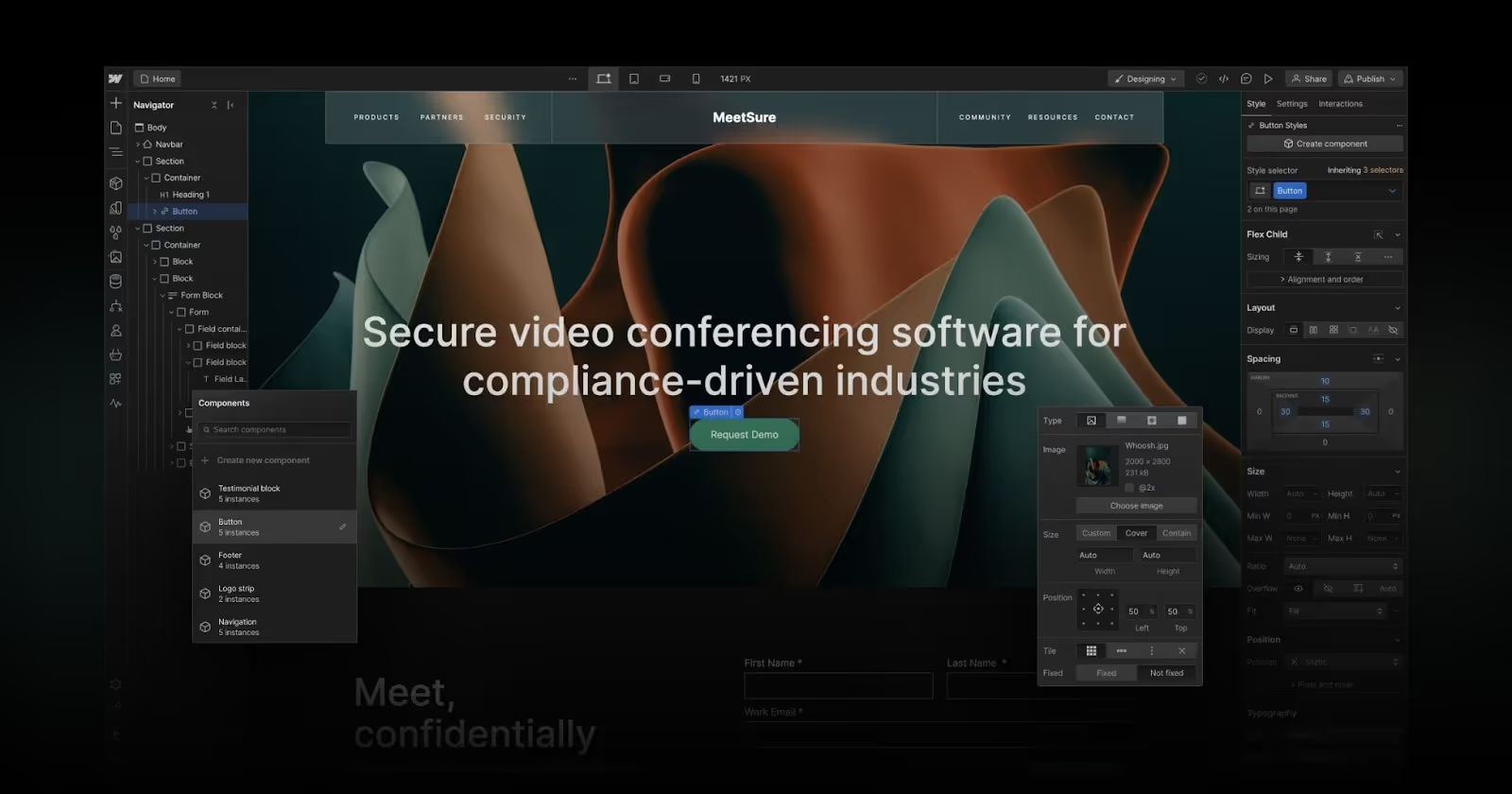
Forget the rigid templates of typical website builders. Webflow Development Service gives you a blank canvas. Instead of dragging generic blocks around, you are designing the actual structure of the web. It feels like using design software (like Adobe Photoshop or Figma), but as you move elements visually, Webflow is automatically writing clean, professional code in the background. You get total control over how your site looks on every screen - desktop, tablet, and mobile - without writing a single line of code yourself.
2.2. The CMS (Managing content made simple)
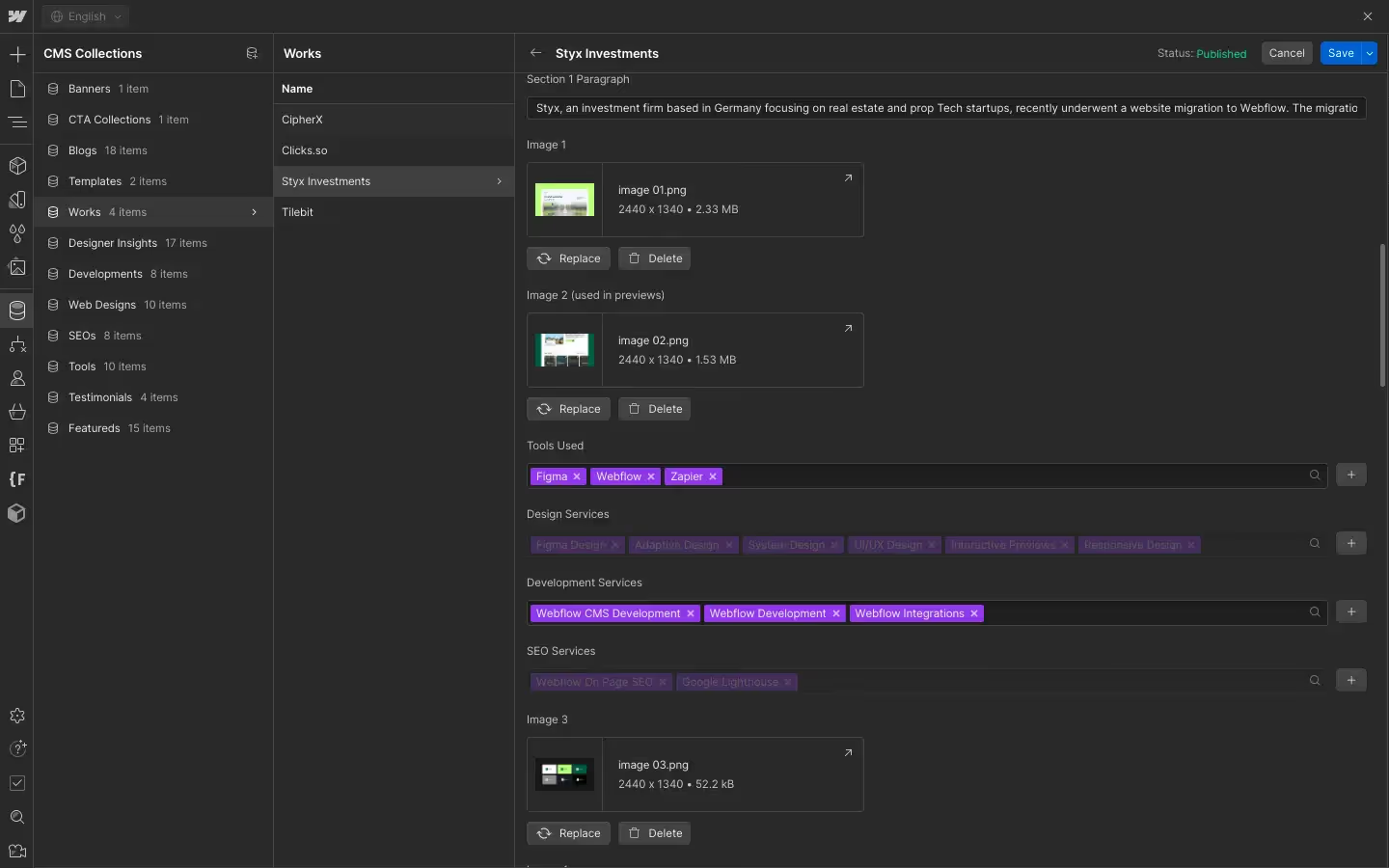
If you want to run a blog, a portfolio, or a marketplace, you need a way to manage content easily. That’s where the CMS (Content Management System) comes in. Think of it like a smart spreadsheet. You create a structure - say, for a "Blog Post" - with fields for a title, image, and text. Once you set up the design once, you just fill in the form, and Webflow automatically generates perfectly designed pages for every new item. It allows you to manage thousands of pages without ever touching the design layout again.
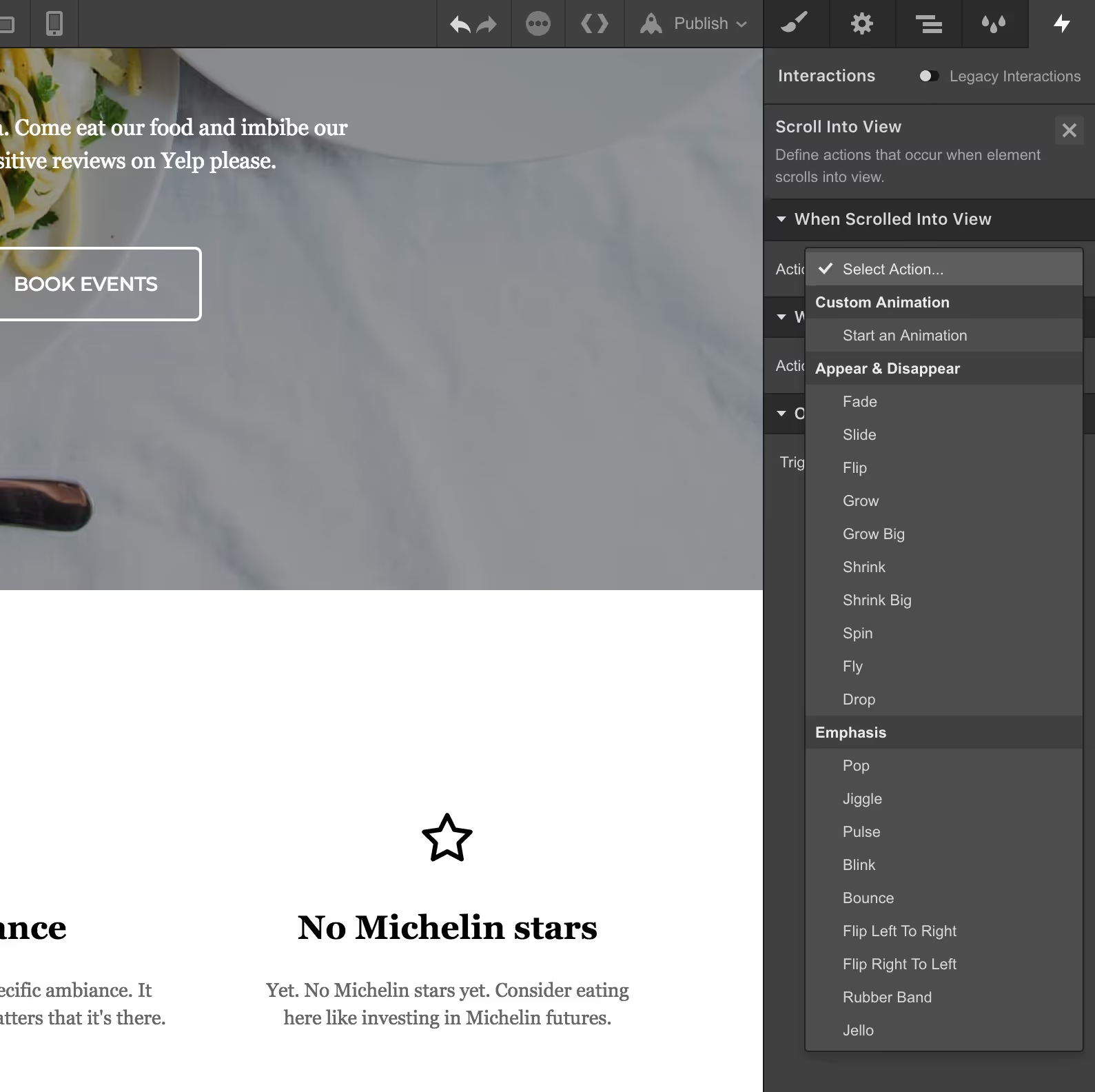
2.3. Interactions & Animations
This is the "secret sauce" that makes Webflow sites look expensive. Usually, making elements fade in, slide, or react to your mouse requiring hiring a specialized developer. With Webflow, you can build these complex animations visually. Whether it’s a parallax scrolling effect (where the background moves slower than the foreground) or a fun micro-interaction when you hover over a button, you can build it all with a few clicks. It turns a static website into an engaging experience.
2.4. Hosting & Security
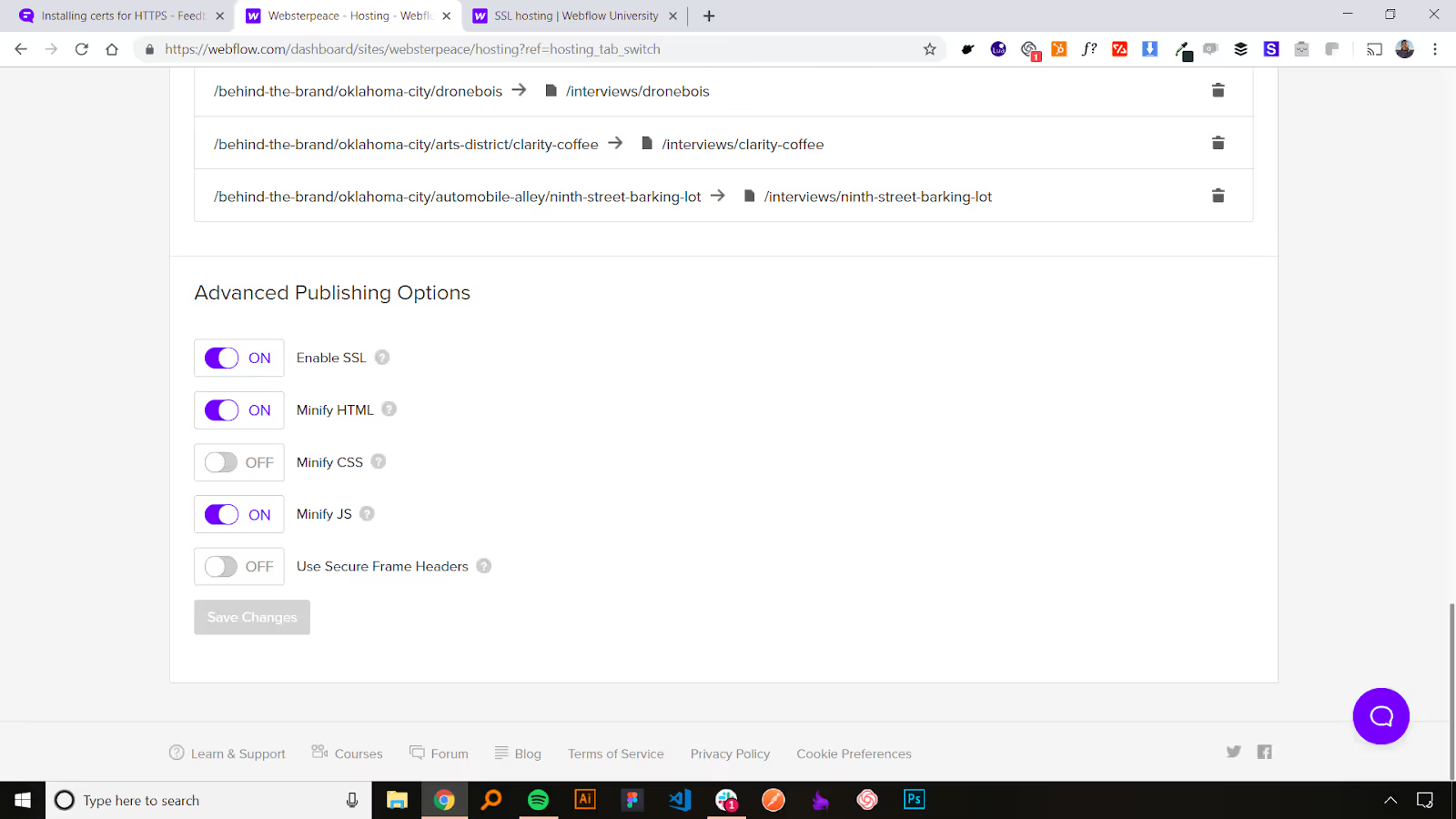
Once your site is built, it needs a place to live on the internet. Webflow handles this for you with enterprise-grade power.
- Speed: Webflow uses AWS (the same network Amazon uses), so your site loads instantly for users anywhere in the world.
- Security: You don't need to worry about hackers or installing security plugins. Webflow provides a secure, closed environment with free SSL certificates.
- Zero Maintenance: Unlike other platforms where you have to constantly update plugins to prevent crashes, Webflow manages everything for you. You just hit "Publish," and it works.
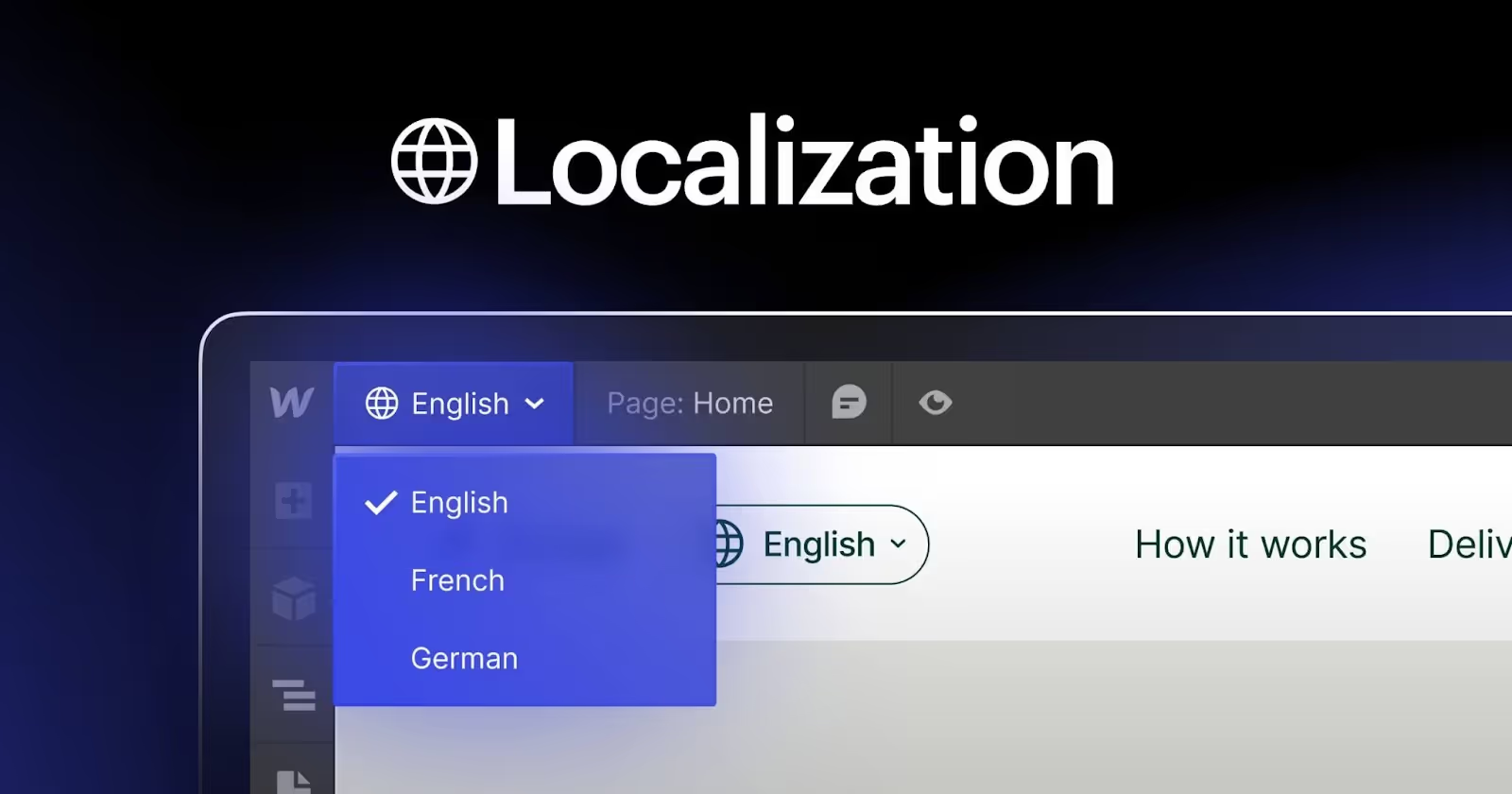
2.5. Webflow localization (Native translation)
For businesses targeting a global audience, language barriers used to be a headache. Recently, Webflow introduced Native Localization. This allows you to customize your site for visitors in different regions, not just translating text, but adjusting images and designs for specific markets. Everything is managed directly inside Webflow, ensuring your SEO ranks high in every language without relying on messy third-party plugins.
2.6. The editor mode (Safe for marketing teams)
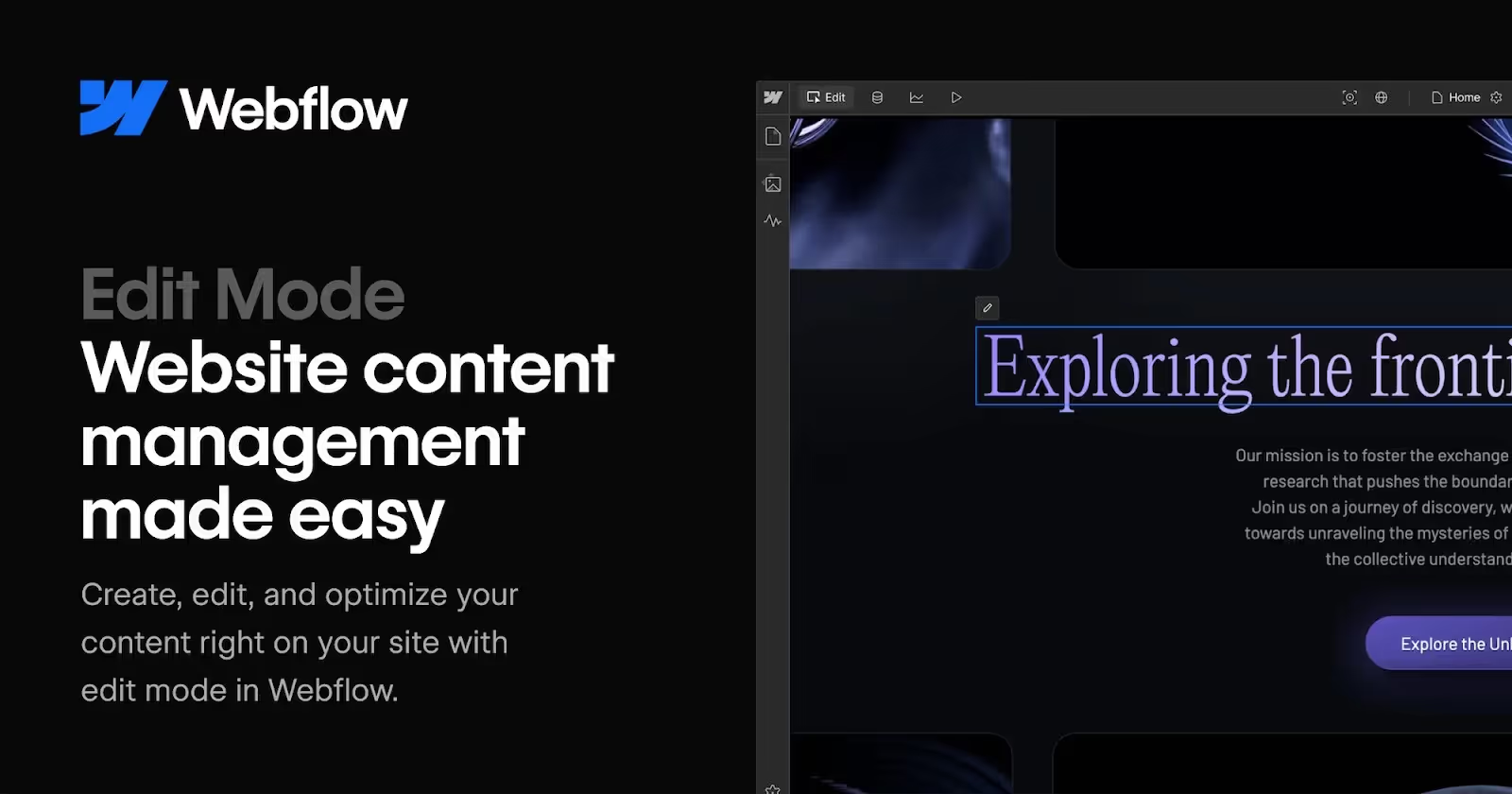
A common concern for many founders is, “What if I break the site just by editing text?” Webflow addresses this perfectly through its Editor Mode. While designers and developers work inside the more advanced Designer interface, marketing and content teams get access to a simplified, safe editing experience.
You can click directly on text, images, and CMS-driven content to update them inline, almost like editing a Google Doc or a social media post. Once you're done, hit “Publish,” and your changes go live.
Editor Mode doesn’t allow you to touch the layout or structure of the page, so you can confidently make updates without worrying about breaking the design.
3. Who is Webflow best for?
Webflow works best for teams and businesses that want a modern, flexible website without dealing with heavy code or slow development cycles. It’s especially suitable for:
- Businesses that need a fully custom website
Whether you’re building a digital rental marketplace, a SaaS product, a B2B company site, an e-commerce store, or a service-based business, Webflow gives you the freedom to create a site that reflects your brand instead of forcing you into a template. - Companies that update content frequently
If your business runs a blog, a resource hub, knowledge base, product documentation, customer stories, or large content libraries, Webflow’s CMS helps you manage everything easily without technical help. - Brands that care about design quality and user experience
Webflow is ideal for teams that want pixel-level control, smooth animations, and a polished, premium user experience that feels modern and trustworthy. - Teams that want to move fast without relying on developers
Marketers, designers, and founders can publish landing pages, update content, or run growth experiments instantly, no engineering bottlenecks, no plugin conflicts, no surprises. - Businesses that prioritize SEO and performance
Clean code, fast hosting, and built-in SEO controls make Webflow SEO a strong choice for brands that rely on organic search and want a stable, high-performing site. - Creative professionals who prefer visual building over coding
Designers, content creators, and marketing teams love Webflow because it lets them build visually while still producing professional-grade code behind the scenes.
4. Webflow vs. the competitors: A strategic comparison
Choosing a platform is a business decision. Whether you are debating Webflow vs WordPress for scalability, comparing Webflow vs Framer for design, or evaluating Webflow vs Wix for ease of use, we have broken down the key differences below to help you decide.
5. Webflow pricing: Is it worth the investment?
5.1. Site Plans
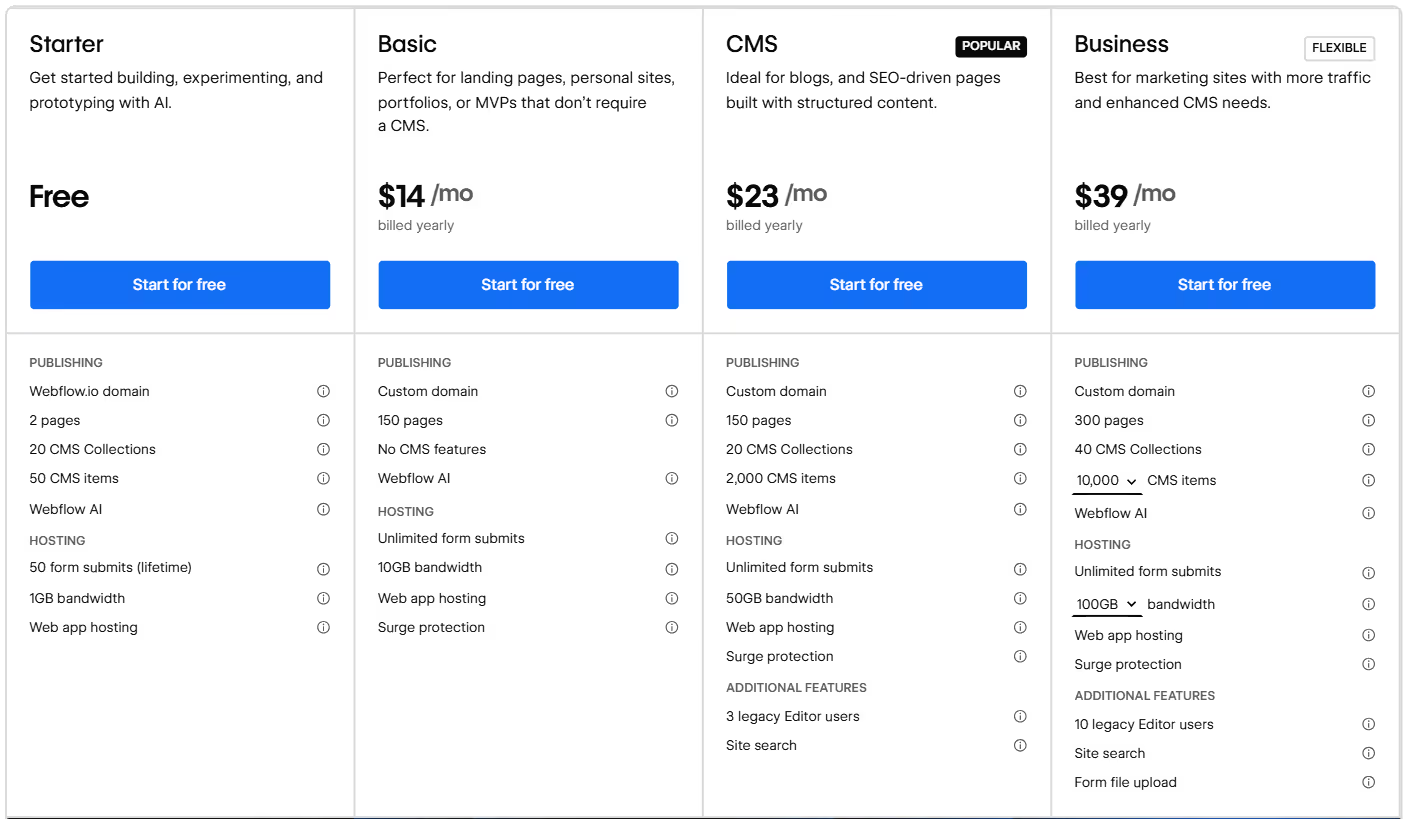
These plans apply to individual websites and include managed hosting, content delivery networks (CDN), and core publishing features. All prices below reflect annual billing.
- Starter (Free): The entry point for everyone. It allows you to build, experiment, and prototype strictly on a webflow.io subdomain. You cannot go live with a custom domain on this plan.
- Basic ($14/month): Best for static sites. Perfect for simple landing pages, personal portfolios, or MVPs that do not require a database (CMS).
- CMS ($23/month): The most popular choice. Ideal for blogs, content-driven marketing sites, and SEO pages built with structured content using the Webflow CMS.
- Business ($39/month): Best for high-growth marketing sites. Designed for sites with higher traffic volumes (up to 250k visits) that require more bandwidth and advanced CMS database limits.
- Enterprise (Custom Pricing): For large-scale organizations. This unlocks custom bandwidth limits, Service Level Agreements (SLAs), and enterprise-grade security (SSO, SOC 2).
5.2. Ecommerce Plans
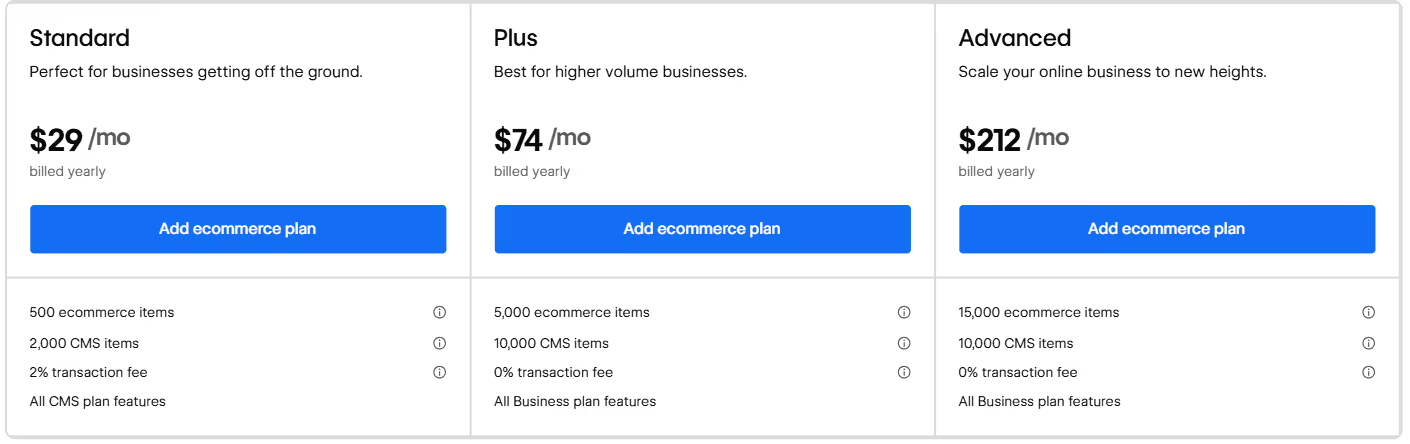
If you need to process payments directly on your domain, Webflow offers dedicated Ecommerce plans that sit on top of the Site plan structure.
- Standard ($29/month): For new businesses (up to $50k annual sales). Includes standard checkout, tax calculation, and a 2% transaction fee.
- Plus ($74/month): For higher volume stores. Removes transaction fees and supports up to 5,000 items.
- Advanced ($212/month): For scaling brands. Supports up to 15,000 items, unlimited staff accounts, and deeper customization.
Key Features: All ecommerce tiers unlock customized checkout design, payment integrations (Stripe, PayPal, Apple Pay), automatic tax calculations, and marketing tools.
5.3. Workspace Plans
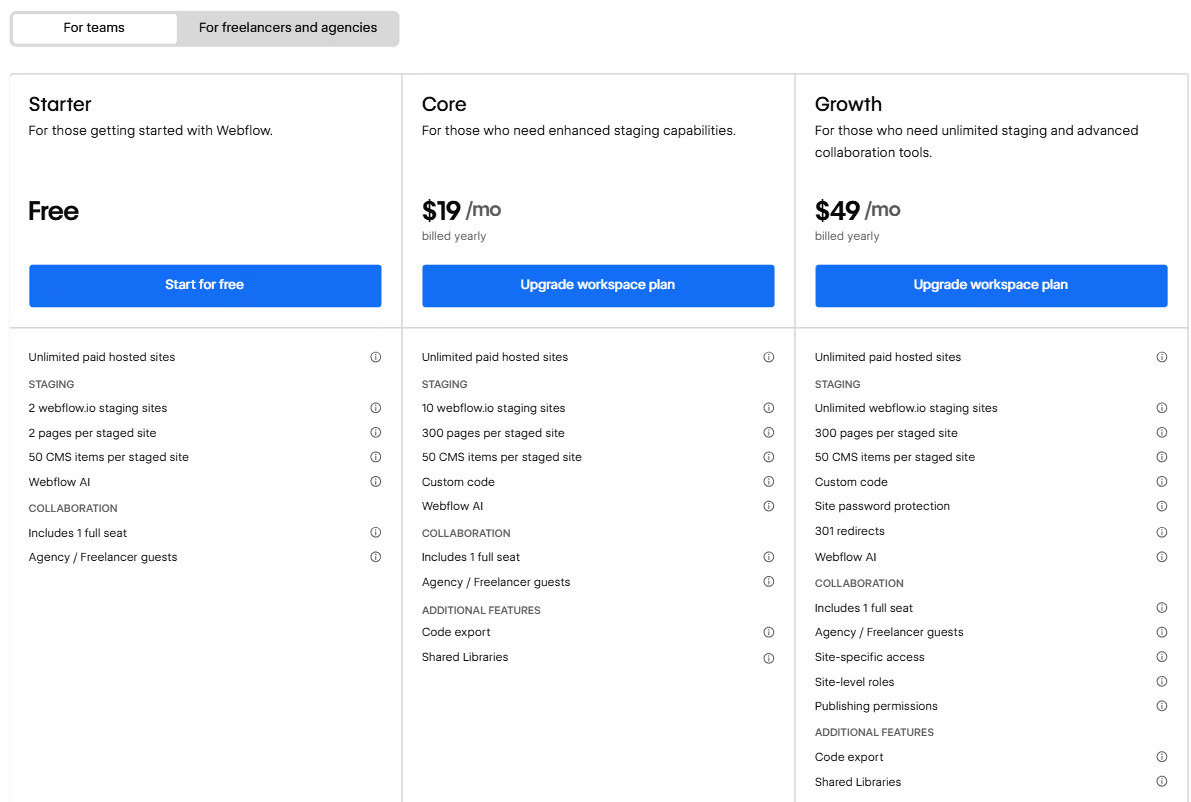
Workspace plans govern your "office": how many projects you can keep in staging, how your team collaborates, and what permissions they have.
Workspace Plans for teams:
- Starter (Free): Includes 1 seat and 2 unhosted staging sites.
- Core ($19/seat/month): Adds code export capabilities and custom code permissions for small teams (up to 3 seats).
- Growth ($49/seat/month): For larger teams. Allows for unlimited seats, unlimited staging sites, and advanced publishing permissions to control who can take a site live.
- Enterprise (Custom): For organizations needing advanced security compliance and performance controls.
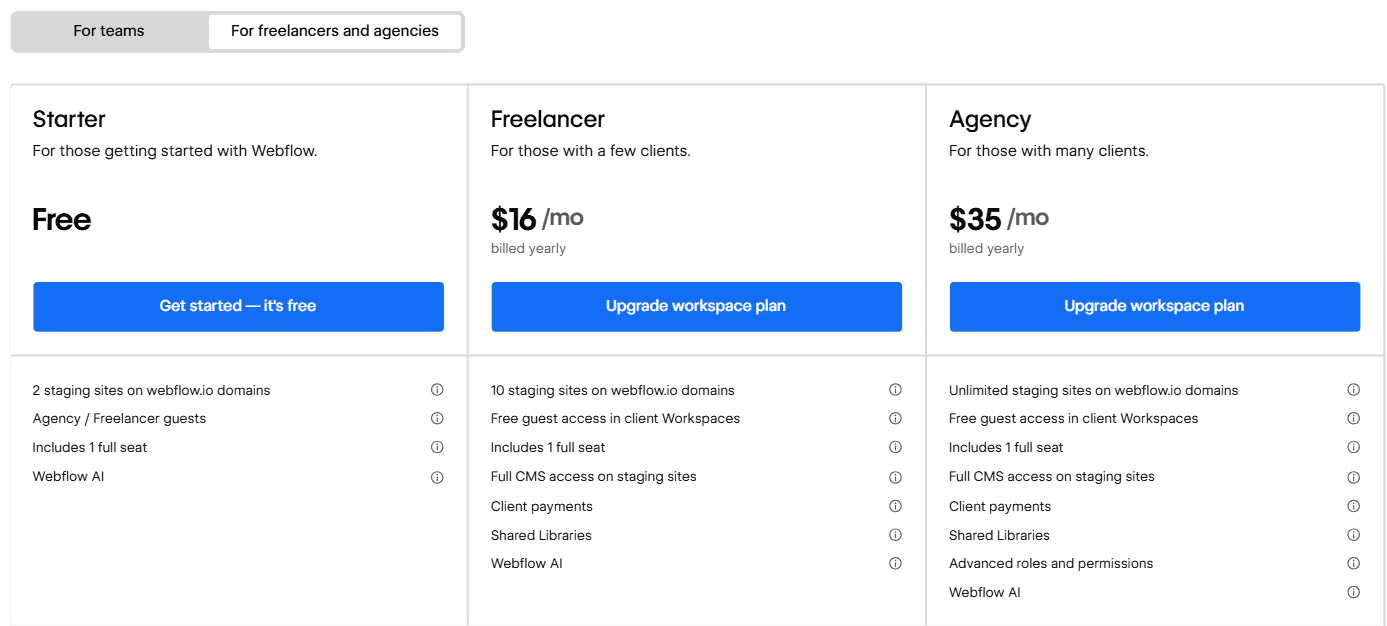
Workspace Plans for Freelancers & Agencies:
- Starter (Free): Good for learning.
- Freelancer ($16/month): Perfect for solo contractors. Allows you to manage up to 10 unhosted sites and grants full CMS access on free staging sites.
- Agency ($35/month): Built for studios. Allows you to manage unlimited unhosted sites and manage distinct team permissions across multiple client projects.
6. Webflow reviews: the Pros and Cons
6.1. The Pros
- Clean, production-quality code output
As you design visually, Webflow generates semantic HTML, CSS, and JavaScript in the background. This creates a fast, reliable foundation that developers trust and search engines understand.
- Built-in SEO power
Webflow provides native control over metadata, alt text, URL structure, canonical tags, indexing, and more. Paired with clean code and strong Core Web Vitals performance, it sets a solid baseline for long-term SEO growth.
If you want a deeper look at how Webflow can boost your search performance, check out our full guide of Webflow SEO Service.
- Enterprise-grade hosting with zero maintenance
Webflow hosts sites on AWS and Fastly’s global CDN, giving you fast load times, automatic SSL, and high reliability. There are no plugins to update and no server patches to manage - publish and you’re done.
- Advanced animations and interactions without coding
Webflow’s interactions engine lets you create high-end visual experiences, scroll effects, page transitions, micro-interactions, directly in the UI. This makes sites feel polished and premium without hiring motion developers.
- A flexible CMS built for real content scaling
Webflow’s CMS lets you structure content however you need: blogs, directories, case studies, product lists, and more. Editors can update everything through simple forms, while designers control the presentation.
- Fast iteration for marketing and growth teams
Marketers and non-technical teams can publish new pages, test messaging, or adjust content instantly. No waiting on dev cycles, no plugin conflicts, no deployment issues.
- Best for eCommerce and single-vendor marketplaces
Webflow is a strong choice for brands running their own online store or single-vendor marketplace. With fully customizable product pages, secure checkout, and native eCommerce tools, businesses can craft a branded shopping experience without relying on rigid templates or heavy plugins.
- Support for AI workflows and automation
Webflow integrates smoothly with modern AI tools through APIs, automation platforms like Zapier/Make, and custom scripts. This makes it possible to automate content workflows, personalize user experiences, and connect AI-powered systems to your site without complex engineering.
These advantages make Webflow a powerful choice for businesses that want creative freedom, strong performance, and a platform that scales without the headaches of traditional development.
And if you want to explore how Webflow supports the full development workflow from layout planning to launch check out our deep-dive here: Webflow Development for Websites: From Layout to Launch.
6.2. The Cons
Webflow is powerful, but it takes time to understand concepts like layout structure, responsive design, and how the CMS works. It’s not something most people master immediately, especially if they’re new to web design principles.
- Not ideal for multi-vendor marketplaces
Webflow is built for front-end design and light-to-moderate CMS use. It is not designed for complex backend logic, user authentication systems, or large-scale custom applications.
- Interactions and animations can become complex
While Webflow’s animation tools are powerful, they can be time-consuming for beginners and may require design experience to use effectively.
- Template switching is limited
Once you pick a template and start building, you cannot switch to another template without rebuilding key structures manually.
- May require expert help for advanced builds
For busy founders or companies with complex requirements, working with a Webflow expert or Webflow agency can be more efficient than learning everything in-house.
7. Journeyhorizon: Experts in scalable Webflow development
At Journeyhorizon, as one of the leading Webflow agencies, we partner with businesses that have chosen Webflow and want to use it effectively. We focus on the practical engineering of your site, from structuring scalable CMS collections to enforcing solid SEO fundamentals and performance standards.
Our goal is to help teams make informed architectural decisions and avoid the common pitfalls of scaling. Whether you are building a complex marketing website or a content-heavy platform, our approach is grounded in clarity, long-term maintainability, and real-world utility.
We support businesses with the following technical Webflow expertise:
- Enterprise Webflow Development: Building scalable, custom sites using clean code principles.
- Advanced CMS Architecture: Structuring complex databases for publishing dynamic content (blogs, case studies,...).
- Technical SEO & Performance: Optimizing site structure, schema markup, and loading speeds.
- Platform Migrations: Safely moving existing sites (WordPress, custom code) to Webflow without SEO loss.
- Custom Integrations & Automation: Connecting Webflow with business tools (CRM, Zapier/Make) for operations.
- Webflow Training & Handoff: Providing custom documentation to ensure independent team management.
Ready to build a site that scales? Explore our full range of Webflow Development Services.
8. Conclusion: Is Webflow right for your business?
Webflow is more than just a site builder; it is a growth engine. It is the ideal choice for founders and managers who want a custom, high-performance website without the technical debt of traditional development.
If you value speed to market, SEO performance, and brand uniqueness, Webflow is the modern standard.
While Webflow is powerful, navigating its complexities can take time away from your core business. At Journeyhorizon, we specialize in leveraging Webflow to build scalable, SEO-optimized marketplaces and enterprise-grade business websites. Our team manages the entire technical architecture so you can focus on growth.
9. FAQs
1. Is Webflow good for SEO?
Yes, Webflow is widely considered one of the best platforms for SEO. It offers clean code, fast loading speeds (via AWS), and native controls for meta tags, Open Graph settings, and sitemaps, making it easier to rank on Google.
2. Can I migrate from WordPress to Webflow?
Absolutely. You can import your blog posts and content from WordPress into the Webflow CMS using CSV files. However, the design will need to be rebuilt, which offers a great opportunity to upgrade your user interface.
3. Do I own the code in Webflow?
Yes. If you are on a paid workspace plan, you can export your project’s HTML, CSS, and JavaScript code. This allows you to host the site elsewhere if you choose, although you would lose the CMS and Editor functionality.
4. Is Webflow free to use?
Webflow offers a free "Starter" plan that lets you build and design your website for as long as you like. You only pay when you are ready to add a custom domain and go live.
5. Is Webflow secure?
Webflow provides enterprise-grade security. It includes free SSL certificates, complies with SOC 2 standards, and manages all security updates and backups automatically, significantly reducing the risk of hacking compared to open-source platforms.
.avif)
.avif)
.avif)