Webflow Development Cost: Practical Breakdown for 2026
Understanding webflow development cost requires looking beyond platform pricing. You need to account for design, build time, custom functionality, and ongoing maintenance. For SaaS founders and digital product teams, the investment in Webflow often represents your website's impact on growth, not just a hosting bill. Journeyhorizon and other experienced development partners help teams navigate these decisions with clarity about what drives real cost and value. This guide breaks down what you should actually expect to pay and where to focus your budget.
Breaking Down Webflow Development Costs
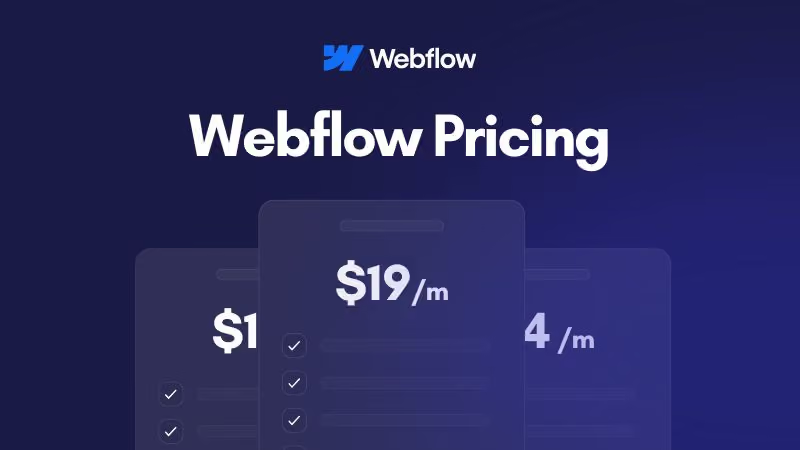
The Webflow development cost splits into two distinct buckets: platform fees and professional services. Platform fees are straightforward. Webflow's hosting plans range from $14 per month for basic sites to $235 monthly for advanced hosting with priority support. But this is only the foundation.
Development costs are where the real investment sits. A professional Webflow developer charges between $50 and $150 per hour, depending on experience and location. Project-based pricing typically ranges from $1,500 for simple sites to $50,000 or more for complex builds. For a business website with functionality, expect $5,000 to $15,000. For something more sophisticated with integrations, custom logic, and CMS structure, you're looking at $15,000 to $35,000.
These figures come from what experienced builders charge. The variance depends on scope, timeline, and complexity. A rushed project costs more than a planned one. A site built from scratch costs more than one using templates.
Platform Hosting vs Development Costs
Most founders focus on the wrong line item. Platform fees matter less than development quality. A site built poorly on a cheap plan will cost more to fix than a site built well on a premium plan. The webflow development cost calculation needs to account for this.
Webflow rolled out its most significant pricing restructure in years, effective May 13, 2026. The old plan names and prices no longer apply. Here's a breakdown of what's available now.
The Current Site Plans
Basic ($14/month, billed annually)Best for personal sites, portfolios, and simple static pages. Does not include CMS functionality.
Premium (new)A consolidated tier that merges the old CMS and Business plans into one. CMS item limit increases to 20,000, and separate CMS add-ons are automatically removed at renewal. Best for business websites, blogs, and content-driven sites.
Team (new, annual billing only)Built for growing teams that need more than self-serve but aren't ready for Enterprise. Includes 10 seats, 100 CMS Collections, Localization, and advanced features like AEO agents and page branching. Requires contacting Webflow sales directly.
EnterpriseCustom pricing for large organizations needing dedicated support, advanced security, and custom contracts.
What Else Changed
- AI credits are now included in all Workspace plans, with usage limits enforced starting June 29, 2026.
- Bandwidth-based pricing still applies — high-traffic sites may see add-on costs regardless of plan tier.
- Legacy plans (Freelancer and Agency Workspaces) transition on or after November 16, 2026.
How to Check Your Actual Cost
Plan price alone doesn't tell the full story. Use Webflow's official pricing calculator to estimate your total bill based on bandwidth usage and add-ons before your next renewal.y.
Factors That Impact Your Total Bill
Several variables push Webflow development cost up or down. Complexity is the primary driver. A brochure site with five pages runs $1,500 to $3,000. A site with a CMS, membership features, or e-commerce logic runs $8,000 to $20,000. A site requiring custom integrations, API connections, or bespoke workflows can easily exceed $25,000.
Team composition matters. A solo developer builds at one pace and rate. A designer and developer combination costs more upfront but often produces better results faster. A copywriter adds another cost, but your messaging quality affects conversions, making it a genuine investment.
Timeline affects price. A three-month project costs less than a one-month rush. Developers price urgency into their quotes. If you're launching to capitalize on market timing, expect to pay more for speed.
Post-launch support is often overlooked. A fixed-price build doesn't include ongoing adjustments, new features, or performance optimization. Budget for monthly support retainers if you plan to iterate. This typically runs $500 to $2,000 monthly depending on scope.
Hidden Costs Beyond the Headline Price
The webflow development cost doesn't end at launch. Several ongoing expenses catch founders by surprise. Content migration from old platforms takes time and often requires editing. If your legacy site has hundreds of pages, budget accordingly. Copywriting for new content architecture adds cost. Design refinement after launch happens almost universally. You'll spot improvements only after users interact with the site.
SSL certificates, CDN acceleration, and backup storage are bundled into higher Webflow plans, but custom domains, third-party integrations, and API connections may incur additional costs. Email service integrations, payment processors, and analytics often charge separately.
Performance optimization becomes necessary if your site grows significantly. Lazy loading images, code splitting, and optimising for search visibility require developer time. These aren't emergency fixes if you plan ahead, but they cost real money if neglected and traffic suddenly increases. This is where partnering with a Webflow expert who understands both technical performance and SEO creates long-term efficiency.
Strategies to Control Your Investment
Smart founders reduce webflow development cost without sacrificing quality. Start with a proven template if it fits your brand. Custom design is beautiful but expensive. A premium template costs $50 to $200 and gets you 70 percent of the way there. Your developer customizes from a foundation instead of building from scratch. This cuts development time by a third or more.
Define scope ruthlessly. Avoid the feature creep trap. Launch with core functionality, measure user behaviour, then add features based on data. A smaller launch costs less and validates your direction faster. A six-month project with full feature set costs more and takes longer than a two-month MVP followed by iterations.
Negotiate fixed pricing, not hourly. Time-and-materials billing incentivizes developers to work slowly. A fixed-price contract creates alignment. You want them to finish efficiently. They want predictable income. Both win.
Reuse components across pages. If your site needs ten landing pages, building a template system cuts the per-page cost significantly. Webflow's component features make this efficient. Leveraging them properly cuts your timeline and bill.
When Webflow Makes Financial Sense
The real question isn't whether webflow development cost is expensive in isolation. It's whether Webflow delivers value for your specific needs. For SaaS companies and digital product teams, Webflow excels at serving as a marketing website that works directly with your product brand and messaging. The design flexibility, performance, and ease of ongoing updates make it competitive.
Webflow doesn't make sense if you need a fully custom backend or highly specialised functionality. For that, hire a full-stack developer and build on React or Vue. Webflow doesn't make sense for projects where cost is the only criterion and you can't invest in quality. You'll end up rebuilding.
Webflow makes strong financial sense when you combine it with strategic development and clear goals. When you know your audience, your messaging, and your feature set before starting, developers work efficiently and costs stay predictable. When you plan to maintain and iterate your site, the low barrier to updates means you're not paying ongoing developer retainers for basic changes.
For teams building their growth engine through content, SEO, and brand authority, Webflow paired with strategic Webflow development offers a practical balance between control and cost. The investment in quality development, technical SEO, and performance optimisation often returns multiples in improved visibility and conversion. A true partner helps you allocate your webflow development budget strategically, ensuring each dollar builds your competitive advantage.
Start with an honest conversation about scope, timeline, and budget with your development partner. A good partner pushes back on unrealistic expectations and finds smart ways to deliver value within constraints. That partnership, not the platform choice alone, determines whether your investment pays off. Teams that approach Webflow development as strategic infrastructure, not just a cost centre, see the strongest returns.
Frequently Asked Questions
How much does it cost to build a Webflow website from scratch?
A basic informational site runs $2,000 to $5,000. A business website with forms, blog, and moderate customisation runs $6,000 to $15,000. Complex builds with CMS, integrations, and custom logic run $20,000 to $50,000. The range depends heavily on design complexity, feature set, and developer experience.
Is Webflow cheaper than hiring a freelance developer for custom code?
Webflow is often cheaper for websites. Custom-coded sites offer more flexibility for highly specialised backend logic, but that flexibility costs more upfront and takes longer. For a marketing website, Webflow usually delivers faster and cheaper. For a web application, custom code may be more economical long-term.
What's the cheapest way to reduce webflow development cost?
Use a template ($50 to $200) and customise it yourself with Webflow's visual builder. This costs only your time and the Webflow plan fee ($35 to $235 monthly). If you hire a developer for light customisation (10 to 20 hours) instead of a full build, costs drop to $500 to $2,000. The trade-off is time investment and potential design limitations.
Do I need a premium Webflow plan to get good performance?
Not always. The Basic plan performs well for most sites under 100,000 monthly visitors. Premium features like advanced localization, priority support, and higher bandwidth become necessary as you scale. Start on Basic or Business tier and upgrade when metrics justify it rather than paying upfront for unused capacity.