Webflow vs Shopify: Choose the Right Platform for Your Business

Choosing between Webflow and Shopify feels simpler than it actually is. Both platforms are powerful. But they solve different problems, and for many businesses, the real question isn't which platform is "better," but which one aligns with how you actually plan to grow. This matters especially if you're building a marketplace, launching a content-driven brand, or managing a complex digital ecosystem where a generic ecommerce platform creates constraints rather than solutions.
At Journeyhorizon, we work with founders and teams who've outgrown the limitations of template-based platforms. Understanding when to choose Webflow versus Shopify is often the difference between a website that supports your growth strategy and one that becomes a friction point for marketing, SEO, and customer experience.
Why this choice matters for growing online businesses
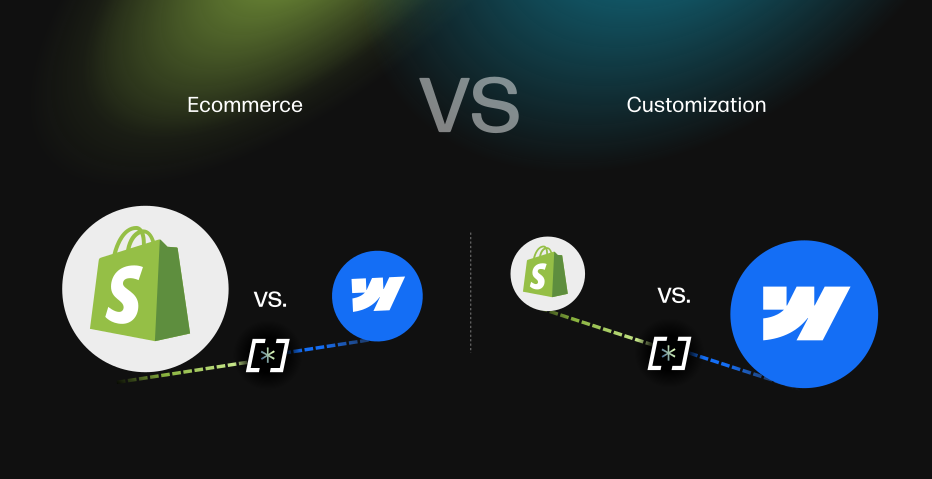
Webflow vs Shopify isn't just a platform decision. It's a strategic choice about how your marketing infrastructure and commerce engine will work together.
Shopify excels at one thing: processing transactions efficiently at scale. It manages inventory, payments, order fulfilment, and logistics beautifully. The platform is battle-tested, reliable, and designed for sellers who need ecommerce to work without constant maintenance.
Webflow, by contrast, is a design and content platform. It gives teams complete control over the user experience, page structure, and content architecture. It's built for brands that care about aesthetics, SEO structure, and the ability to update their site without developer dependencies.
The problem is that businesses don't operate in silos. You need both. And for many organisations, trying to do both on a single platform creates trade-offs that limit growth.
Webflow vs Shopify: Strengths and limitations
Understanding what each platform is designed for prevents costly mistakes later.
Shopify's core strengths: Reliable payment processing, inventory management at scale, mobile-responsive checkout optimisation, and a mature app ecosystem. If your primary challenge is selling products reliably and scaling transactions, Shopify handles this exceptionally well. The platform is mature, documented, and supported by thousands of agencies and developers globally.
Shopify's real limitation isn't functionality. It's flexibility. The platform uses template-based architecture, which means your website will inherit design constraints. You can customise within those constraints, but breaking outside them requires custom code or workarounds. This creates friction when your marketing team wants to implement a unique brand experience, when your SEO strategy demands custom URL structures, or when you need a sophisticated content hub to support organic growth.
Webflow's core strengths: Complete design freedom, superior SEO control, high-quality code output, and the ability for non-developers to maintain the site. Webflow gives marketing teams autonomy. You can create landing pages, content hubs, and customer journeys without developer handoff. The platform generates clean code, which means faster page load times and better search engine crawlability.
Webflow's limitation is commerce functionality. The platform wasn't built as an ecommerce system. Native product management, payment processing, and checkout flows are limited compared to Shopify. For businesses treating ecommerce as a core business function rather than a nice-to-have, this gap matters.
When Webflow wins: Design-driven businesses and content scaling
Webflow becomes the right choice when your competitive advantage depends on how you present your business, not just that you're selling. This is especially true for marketplaces, SaaS companies, and B2B brands where content and brand trust drive conversions.
If you're running a marketplace on Sharetribe, custom infrastructure, or another specialist platform, your marketplace needs a marketing home. That's where Webflow excels. You can build a content hub, create SEO-optimised category pages, showcase user-generated content, and maintain brand consistency across all buyer touchpoints. Your marketplace handles the transactional logic. Webflow handles the storytelling.
Webflow also wins when SEO is a material part of your growth strategy. The platform's clean code, customisable metadata, and support for proper heading hierarchies give you technical SEO advantages that Shopify templates struggle to match. If you're building a content-driven brand where organic traffic is core to your unit economics, Webflow's SEO infrastructure makes a measurable difference.
Local businesses and SMBs benefit from Webflow when their website is their primary customer acquisition channel. A custom-designed, fast-loading site that reflects your brand identity converts better than a generic Shopify template. Marketing agencies using Webflow development expertise often see this dynamic repeatedly: independent brands outperform template-based competitors simply because their site feels intentional rather than off-the-shelf.
When pure Shopify makes sense (narrow cases)
Shopify remains the right choice for specific business models. If you're operating a high-volume product business where you manage thousands of SKUs and your competitive advantage is operational efficiency, inventory management, or lowest-price execution, Shopify's strengths justify staying within its constraints.
Proof-of-concept businesses also benefit from pure Shopify. If you're validating whether a product idea works before investing in custom branding and content infrastructure, Shopify's template-based approach gets you to market fastest and cheapest. Once you validate product-market fit and need to differentiate through brand and content, you can then migrate.
Deep Shopify app dependencies can also justify staying. If your operations rely on multiple Shopify apps that require direct platform integration, moving to a hybrid approach creates integration challenges that outweigh the design benefits.
But these cases are narrower than they appear. Most growing businesses eventually find that Shopify's limitations outweigh its operational simplicity.

The hybrid approach: Webflow for marketing, Shopify for commerce
This is where the real opportunity emerges. You can use Webflow and Shopify together, each doing what it does best.
Shopify runs your product database, payment processing, and checkout. Webflow powers your marketing website, content hub, product galleries, and brand storytelling. The two systems sync: product data flows from Shopify into Webflow's CMS, so your content team can build rich product pages without needing a developer to manage the underlying architecture.
This architecture is sometimes called headless commerce. Your backend (Shopify) stays separate from your frontend (Webflow). The benefits are substantial: you get Shopify's reliability for transactions and Webflow's design freedom for experience. Your content team can update copy, images, and page layouts in Webflow without touching Shopify. Your operations team manages inventory and orders in Shopify without affecting the frontend.
For marketplace operators and content-driven brands, this approach is game-changing. Your marketplace logic stays in your core platform (Sharetribe, custom code, or custom app development). Your marketing and brand presence lives in Webflow. You're no longer forcing your entire business into a platform designed primarily for selling commodity products.
Migration risks and how to de-risk your SEO
If you're moving from Shopify to Webflow or considering a hybrid webflow vs shopify approach, SEO risk is real. A migration can erase years of organic traffic if done carelessly.
The core risks are broken redirects, lost metadata, and URL structure changes that Google interprets as new pages rather than migrations of existing ones. If you've built organic traffic on Shopify's default URL structure (products/product-name, pages/page-name), moving those pages to custom structures without proper 301 redirects will drop your search visibility.
Mitigation requires discipline: audit your existing URLs and traffic, map every page to its new location, implement 301 redirects from old to new URLs, preserve all metadata (title tags, descriptions, schema markup), and validate the migration in Google Search Console before going live. Technical SEO expertise becomes essential during this phase to ensure your migration is handled correctly and search visibility is preserved.
Many teams underestimate this phase. A poorly executed migration can cost you 30-50% of organic traffic for 3-6 months while Google re-indexes. That's a material revenue impact if organic traffic is part of your growth model. When considering whether Webflow is right for your business, factor in migration cost and risk if you have existing organic traffic to protect.
Making the decision: A practical checklist
Start by answering these questions directly:
Does your competitive advantage depend on design and content? If yes, Webflow's design freedom matters. If no, Shopify's simpler approach may suffice.
Are you building multiple pages (content hub, category pages, resource guides)? If yes, Webflow's content management and SEO structure give you leverage. If you're selling a limited product range without content infrastructure, Shopify's simplicity wins.
Do you have SEO traffic you need to preserve? If yes, migration risk is real. Plan for proper URL mapping, redirects, and canonical management. This adds cost and complexity to a Webflow migration.
Is your team capable of maintaining a non-standard platform? Shopify is standard. There are thousands of support resources, agencies, and templates. Webflow is more specialised. If your in-house team isn't technical, you'll need a partner for ongoing updates. This is worth planning for upfront.
Do you need enterprise-scale product management? If you're managing 10,000+ SKUs with complex variants, Shopify's product management handles this natively. Webflow works better for dozens or hundreds of products. If you're in the thousands, Shopify may be essential.
These questions should guide your choice. But remember that the best decision often isn't pure Shopify or pure Webflow. Many growing businesses find that a hybrid approach solves their actual problem: reliable transactions handled by Shopify, compelling brand experience built in Webflow, and the two systems connected so your team can work efficiently.
When you're making this decision with budget constraints and SEO risk in mind, working with a partner like Journeyhorizon who understands both platforms, the integration architecture, and how to migrate without losing organic visibility becomes valuable. This isn't a decision to make in isolation if you have existing traffic or complex content infrastructure to protect.
Frequently Asked Questions
Is Webflow better than Shopify for SEO?
Webflow gives you more granular control over SEO elements (metadata, heading structure, URL customisation, schema markup). But Shopify isn't bad at SEO. The difference matters when you need custom URL structures, category-specific content strategies, or content-driven differentiation. For simple product sites, Shopify's built-in SEO is sufficient. For content-driven brands, Webflow's flexibility is an advantage.
Can I use Webflow and Shopify together?
Yes. You can run Shopify as your ecommerce backend and Webflow as your marketing site. Product data syncs between them, so your CMS is shared without duplicating information. This architecture works well for businesses where brand experience and content matter but transaction reliability is equally important.
What's the cost difference between Webflow and Shopify?
Shopify starts at $39/month (Basic plan). Webflow starts at $14/month for basic sites, $23/month for the CMS plan. A hybrid approach typically runs $100-200/month depending on which plans you choose, plus transaction fees on Shopify. A custom Shopify theme or developer work can cost far more. For most growing teams, the hybrid approach is cost-effective.
Should I migrate from Shopify to Webflow?
Not automatically. Evaluate whether you have SEO traffic to protect, how many products you're managing, and whether design freedom is actually a constraint on growth. If Shopify is working fine and you don't have complex content needs, migration cost may exceed the benefit. But if template limitations are slowing down your marketing or if you're managing a marketplace that needs a sophisticated public-facing site, migration becomes worth considering.